Introduction to Scientific Programming with Python: A Complete Beginner’s Engineering Guide
Introduction
Scientific programming has become a cornerstone of modern engineering, science, and technology. Engineers today are not only expected to understand theory and mathematics, but also to implement solutions efficiently using programming tools. Among all programming languages, Python has emerged as one of the most popular and powerful choices for scientific programming.
Python is used in physics simulations, data analysis, machine learning, control systems, numerical methods, and even large-scale industrial projects. Its simple syntax, extensive libraries, and strong community support make it an ideal starting point for beginners, while still being powerful enough for advanced professionals.
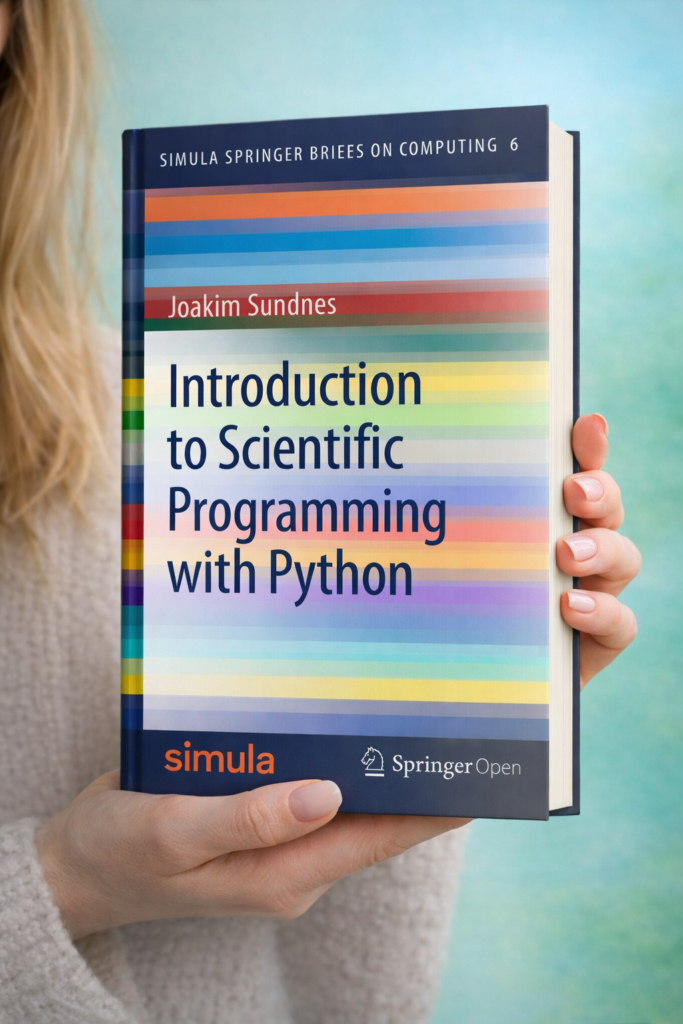
This article provides a complete beginner-friendly engineering introduction to scientific programming with Python. You will learn the theory behind scientific programming, understand key technical concepts, follow step-by-step explanations, explore detailed examples, and see how Python is applied in real-world engineering projects. Whether you are a student or a professional engineer, this guide is designed to build a solid foundation.
Background Theory
What Is Scientific Programming?
Scientific programming refers to the use of programming languages to solve scientific and engineering problems. These problems usually involve:
-
Mathematical modeling
-
Numerical computation
-
Simulation of physical systems
-
Data analysis and visualization
Unlike general-purpose programming (such as building websites or mobile apps), scientific programming focuses on accuracy, efficiency, and mathematical correctness.
Why Programming Is Essential for Engineers
Traditional engineering relied heavily on hand calculations and basic calculators. However, modern engineering problems are far more complex:
-
Thousands or millions of equations
-
Large datasets from sensors or experiments
-
Complex simulations that cannot be solved analytically
Programming allows engineers to:
-
Automate repetitive calculations
-
Solve equations numerically
-
Visualize results clearly
-
Test multiple design scenarios quickly
Why Python for Scientific Programming?
Python is widely adopted in scientific fields for several reasons:
-
Readable Syntax – Easy to learn and understand
-
Powerful Libraries – NumPy, SciPy, Matplotlib, Pandas
-
Cross-Platform – Runs on Windows, Linux, and macOS
-
Open Source – Free and supported by a large community
-
Industry Adoption – Used by NASA, Google, Tesla, CERN
Technical Definition
Scientific Programming with Python (Technical Definition)
Scientific programming with Python is the use of Python programming language and its scientific libraries to perform numerical computations, data analysis, modeling, simulation, and visualization of scientific and engineering problems.
Core Components
Scientific programming with Python typically involves:
-
Numerical Arrays (vectors and matrices)
-
Mathematical Functions
-
Numerical Methods (integration, differentiation, optimization)
-
Data Handling
-
Visualization and Plotting
Step-by-Step Explanation
Step 1: Installing Python
To start scientific programming, you need Python installed. Most engineers use:
-
Python 3.x
-
Anaconda Distribution (recommended for beginners)
Anaconda includes:
-
Python
-
NumPy
-
SciPy
-
Matplotlib
-
Jupyter Notebook
Step 2: Understanding Python Basics
Before scientific programming, you must know basic Python concepts:
Variables
Data Types
-
Integer (
int) -
Float (
float) -
String (
str)
Basic Operations
Step 3: Working with NumPy
NumPy is the foundation of scientific programming in Python.
Importing NumPy
Creating Arrays
Matrix Operations
Step 4: Mathematical Computations
Python supports advanced mathematical operations:
Step 5: Visualization with Matplotlib
Visualization is crucial in engineering analysis.
Detailed Examples
Example 1: Solving a Linear Equation
Equation:
2x+4=10
Solution using Python:
Example 2: Engineering Motion Simulation
Position equation:
s=ut+21at2
Python implementation:
Example 3: Numerical Integration
Compute:
∫01x2dx
Using numerical methods:
Real World Application in Modern Projects
1. Mechanical Engineering
-
Stress and strain analysis
-
Finite element pre-processing
-
Dynamic system simulation
2. Electrical Engineering
-
Signal processing
-
Circuit simulation
-
Control system design
3. Civil Engineering
-
Structural analysis
-
Load simulations
-
Traffic modeling
4. Data Science and AI
-
Experimental data analysis
-
Machine learning models
-
Predictive maintenance
5. Research and Academia
-
Scientific simulations
-
Publishing reproducible research
-
Large dataset analysis
Common Mistakes
1. Ignoring Numerical Precision
Using integers instead of floats can lead to incorrect results.
2. Not Using Libraries
Rewriting mathematical functions instead of using NumPy or SciPy.
3. Poor Code Structure
Writing everything in one script instead of modular functions.
4. Lack of Visualization
Failing to plot results, leading to misinterpretation.
5. Not Validating Results
Assuming results are correct without physical or mathematical checks.
Challenges & Solutions
Challenge 1: Learning Curve
Solution: Start with small problems and simple scripts.
Challenge 2: Performance Issues
Solution: Use NumPy vectorization instead of loops.
Challenge 3: Debugging Scientific Code
Solution: Test intermediate results and visualize data.
Challenge 4: Large Datasets
Solution: Use Pandas and efficient data structures.
Case Study
Case Study: Temperature Distribution in a Rod
Problem
Calculate temperature distribution along a 1D rod using numerical methods.
Approach
-
Discretize the rod
-
Apply boundary conditions
-
Use Python and NumPy
Implementation
Outcome
-
Fast simulation
-
Easy visualization
-
Reusable code for advanced models
Tips for Engineers
-
Start with Jupyter Notebook for learning
-
Learn NumPy deeply before advanced libraries
-
Always plot your results
-
Comment your code clearly
-
Validate results with theory
-
Build small projects regularly
FAQs
1. Is Python suitable for serious engineering projects?
Yes, Python is widely used in industry and research for serious engineering applications.
2. Do I need advanced math to start?
Basic algebra and calculus are enough to begin.
3. Is Python slower than other languages?
Raw Python can be slower, but scientific libraries are optimized in C/C++.
4. Which libraries should beginners learn first?
NumPy, Matplotlib, and SciPy.
5. Can Python replace MATLAB?
In many cases, yes. Python is free and more flexible.
6. Is scientific programming useful outside engineering?
Yes, it is used in finance, biology, economics, and AI.
Conclusion
Scientific programming with Python is an essential skill for modern engineers and scientists. It bridges the gap between mathematical theory and real-world applications. Python’s simplicity, combined with powerful scientific libraries, makes it an ideal language for beginners and professionals alike.
By learning scientific programming with Python, engineers can solve complex problems efficiently, analyze data accurately, and build scalable solutions for modern projects. Whether you are a student starting your journey or a professional upgrading your skills, mastering Python for scientific programming is a valuable investment in your engineering future.